How to debug AngularJS with Intellij
In my last 2 projects, I have been using 2 different Yeoman generators: AngularJS and Jhipster. Both generators create a project with AngularJS and Grunt on the client side.
Setting up Intellij or Webstorm to debug AngularJS is not as straightforward as debugging other front-end frameworks like GWT. That’s why I am going to explain step by step how to set up Intellij to debug AngularJS.
1. Install the JetBrains IDE Support extension for Chrome
Go to the Chrome web store and add to chrome the JetBrains IDE Support. 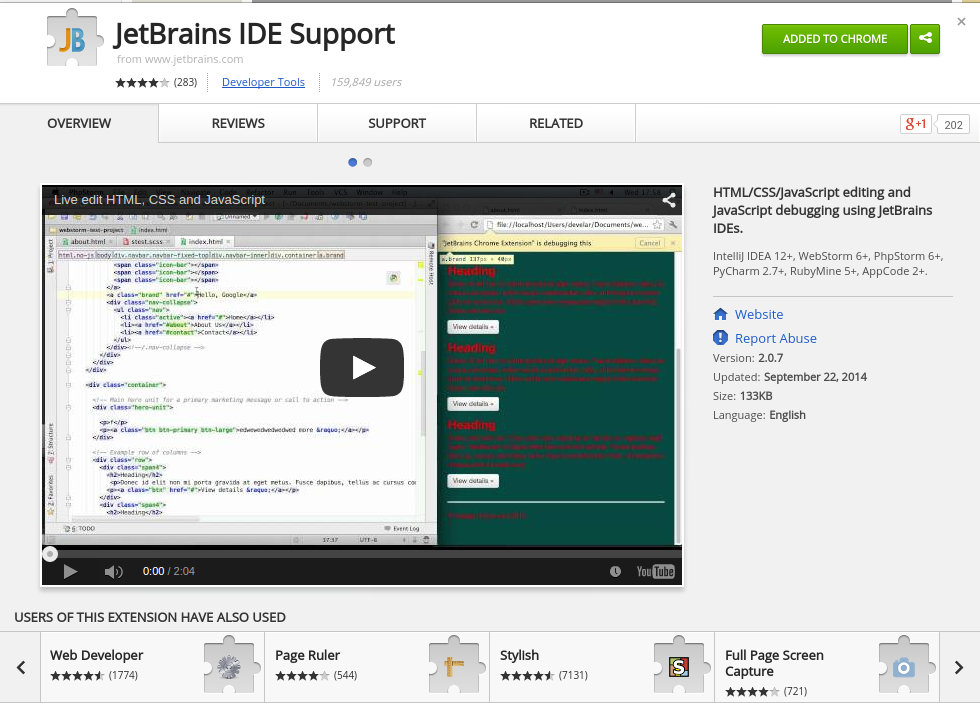
2. Create a new JavaScript Debug configuration on Intellij
On Intellij, go to “Run > Edit configurations…”, or click on the “Edit configurations…” button on the menu:

Then add a new JavaScript Debug configuration.
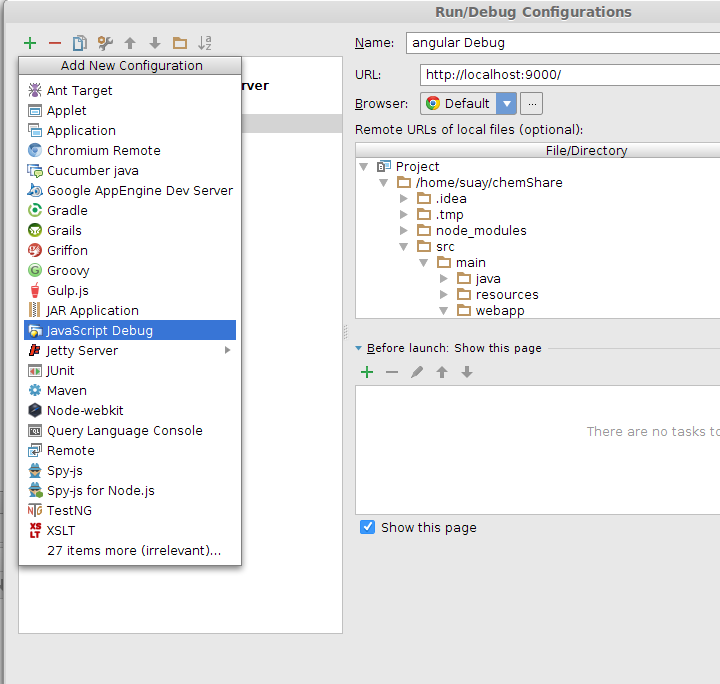
3. Configure your JavaScript debug configuration
Once you have created a new JavaScript configuration you will need to set it up:
- Name: Add a name to identify your configuration.
- URL: You will need to put here the URL where you are running your app. AngularJS and Jhipster both come with a Grunt task which starts a web server on port 9000, so my URL is “http://localhost:9000/”.
- Browser: I have only tried it with Chrome, but should work with any other browser.
- Remote URLs of local files: Here you will need to link your local files with your remote application. Find your index.html file within your project and set the remote URL. In my case the remote URL is http://localhost:9000/index.html.
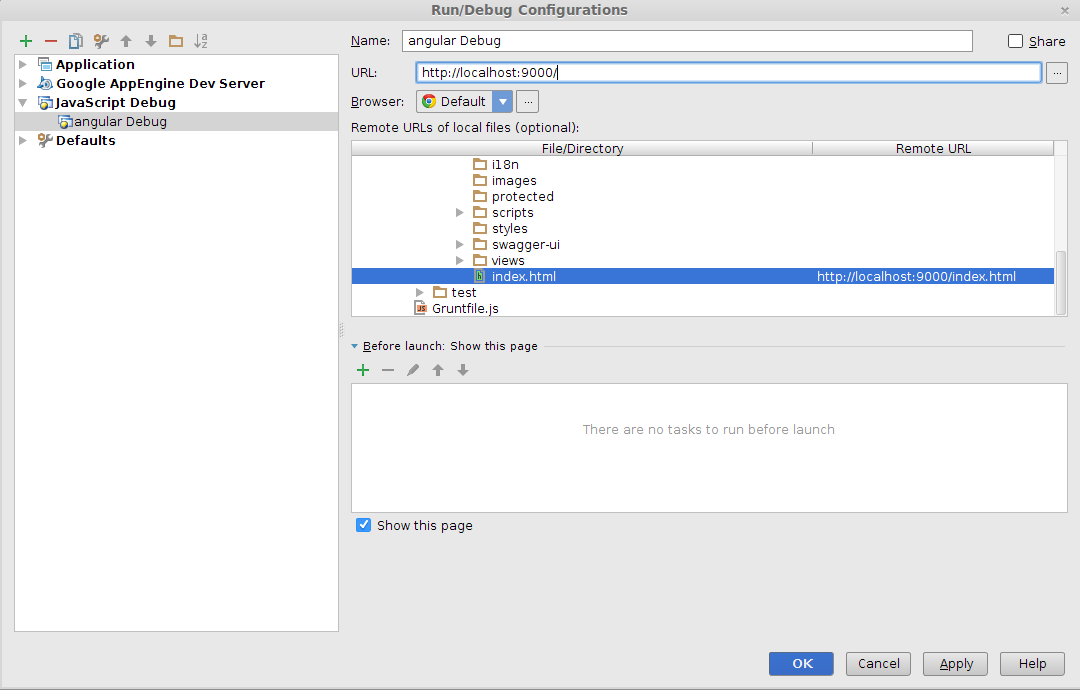
4. Debug your JavaScript Debug Configuration
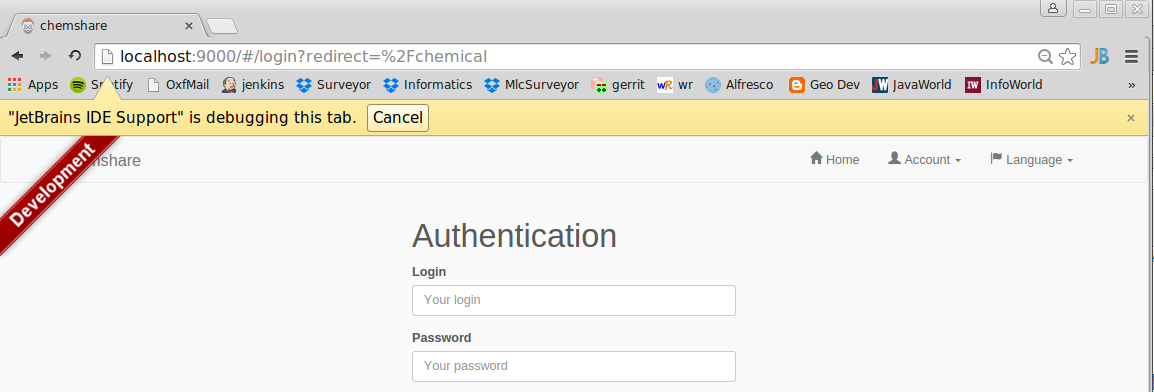
Finally, you just need to click on “Debug” and you are ready to debug you application. If everything goes fine, a new window will be opened with the following note “JetBrains IDE Support” is debugging this tab.

Thanks for the help! by the way, I would like to see the date when you wrote this article ;), maybe u can enable that for your post.
Thanks!
Thank you so much, this was really useful. Appreciate you sharing this useful contect
I prefer to use Codelobster with special plug-in: http://www.codelobster.com/angularjs.html
Hi,
Could i use community edition for debugging AngularJs ?
Regards
Really usefull! Thank you.
I don’t think the title of your article matches the content lol. Just kidding, mainly because I had some doubts after reading the article. https://www.binance.info/hu/register?ref=IQY5TET4
Can you be more specific about the content of your article? After reading it, I still have some doubts. Hope you can help me.
Thank you for your sharing. I am worried that I lack creative ideas. It is your article that makes me full of hope. Thank you. But, I have a question, can you help me? https://www.binance.info/register?ref=IXBIAFVY
The liability of the results as well as the responsibility of the injuries caused
lies solely with the consumers in this case.
Here is my webpage … GRATIS VIAGRA
Happylukeplus…been around the block, haven’t ya? Always somethin’ new to find there. Fingers crossed for some decent wins. Time to visit happylukeplus
Thanks for sharing. I read many of your blog posts, cool, your blog is very good.
Can you be more specific about the content of your article? After reading it, I still have some doubts. Hope you can help me. https://www.binance.com/register?ref=JW3W4Y3A